
Image
The image that accompanies a woku is crucial, since it represents the moment you want to evaluate and it is the first thing customers will see. We recommend that the image be square, 1080 x 1080 pixels, and in SVG, PNG, JPG, or GIF format. Below are the three main options for choosing the image: Image of the moment: It should be a photo that captures the moment being evaluated, such as an event, a training session, or a product. It can even be a selfie with your customer. The image should be of good quality, include people, and have the key elements centered. Below, we show you real examples of how our customers have captured the key moments they want to evaluate through an image.
Encuentro Ecosistema Santiago - Kutamma

Ceremonia de Titulación - Facultad de Ingeniería de la Universidad de Concecpción
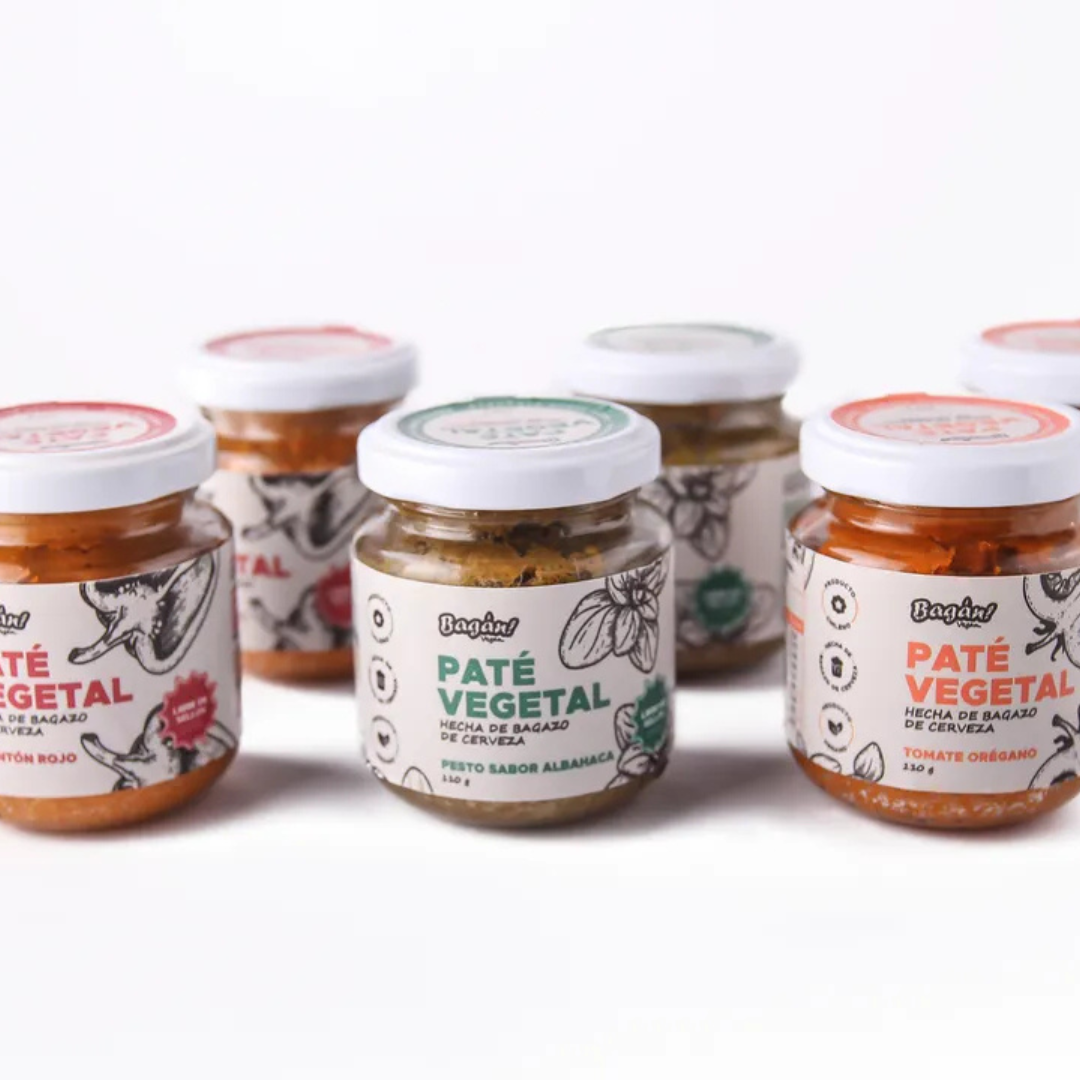
Paté Vegetal - Bagán

Campeonato de asadores - Estadio Español de Chiguayante

Selfie de Capacitación de Incuba UdeC - woku
Poster-style image: It is an image designed with colors, typography, and icons aligned with your brand. The text should be brief so as not to overwhelm, and there should be an 80-pixel margin on each side to prevent important content from being cut off.
Below are some real examples of how our customers have designed their poster-style images to represent the moments they want to evaluate.

Sesión de Pitch del programa Despega - Gearbox

Encuentro Ciencia Empresa - Dirección de Innovación de la Universidad Católica de la Santísima Concepción

Asesoría Psicolaboral - Laborally
It is essential that the image be attractive, since this will capture the customer’s interest and motivate them to interact and leave their feedback.
Name
The name of the woku should clearly identify the aspect being evaluated, being descriptive and concise. It should contain between 4 and 140 characters to ensure that it is easy to read and understand. Avoid phrasing the name as a question so as not to influence the customer’s responses. A good name provides a clear reference without inducing specific interpretations. Below are the names that accompany the image examples from the previous section. Name: Encuentro Ecosistema SantiagoEncuentro Ecosistema Santiago - Kutamma
Name: Ceremonia de Titulación Metalúrgica, Minas y Química UdeC
Ceremonia de Titulación - Facultad de Ingeniería de la Universidad de Concecpción
Name: Bagán! Paté vegetal
Paté Vegetal - Bagán
Name: Tercer Campeonato de Asadores
Campeonato de asadores - Estadio Español de Chiguayante
Name: Presentación woku
Selfie de Capacitación de Incuba UdeC - woku
Name: Sesión 10 - Pitch
Sesión de Pitch del programa Despega - Gearbox
Name: Encuentro Ciencia-Empresa UCSC
Encuentro Ciencia Empresa - Dirección de Innovación de la Universidad Católica de la Santísima Concepción
Name: Asesoría Psicolaboral BASIC
Asesoría Psicolaboral - Laborally
Sharing
For the customer to be able to evaluate the woku, you need to share it with them. It is important to do so when the experience is about to end or has already ended, so that customers can give feedback with perspective about their experience. To share the woku, go in and select the share button.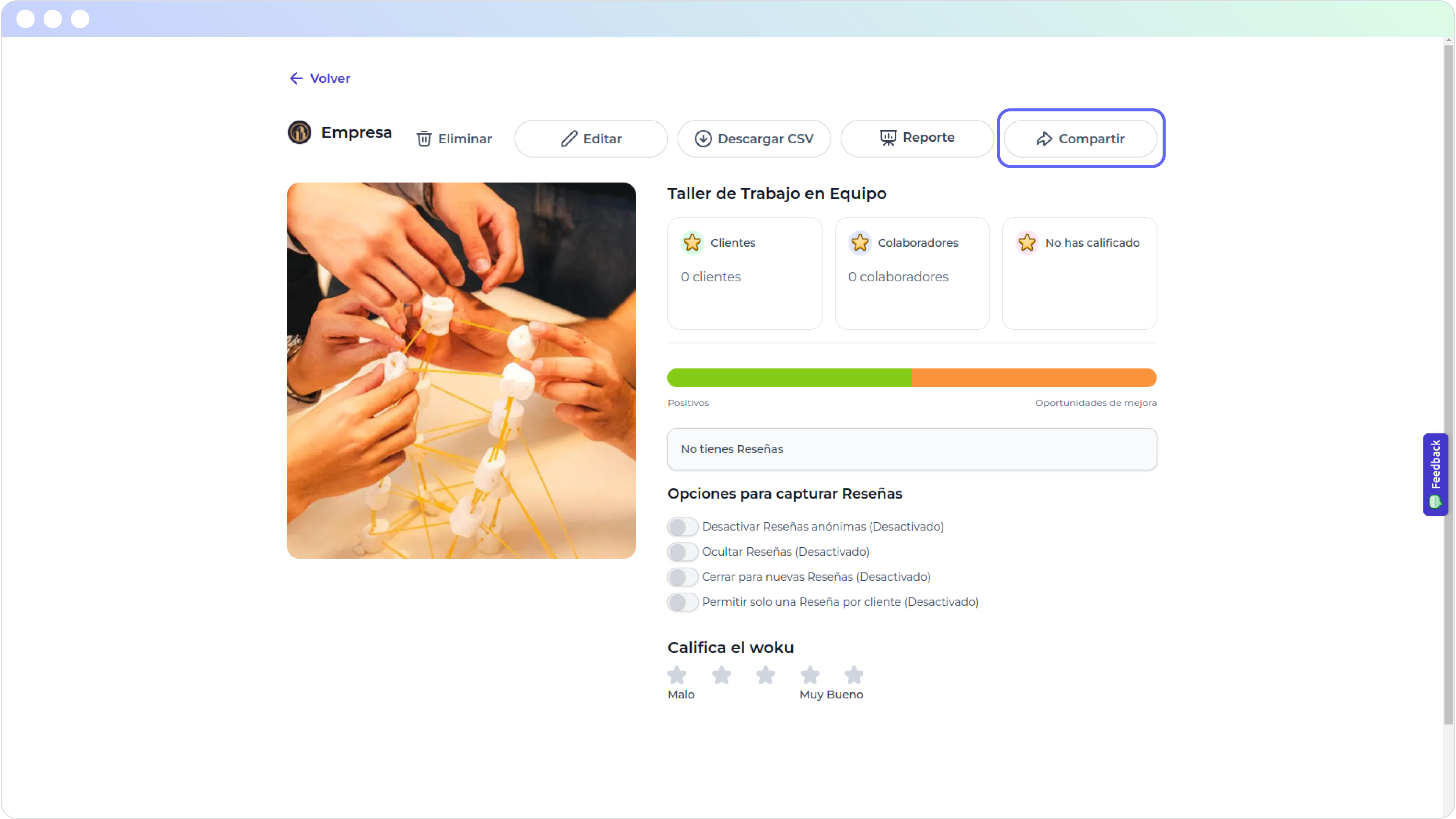
woku view: Taller de Trabajo en Equipo with no reviews
You have several ways to do it:
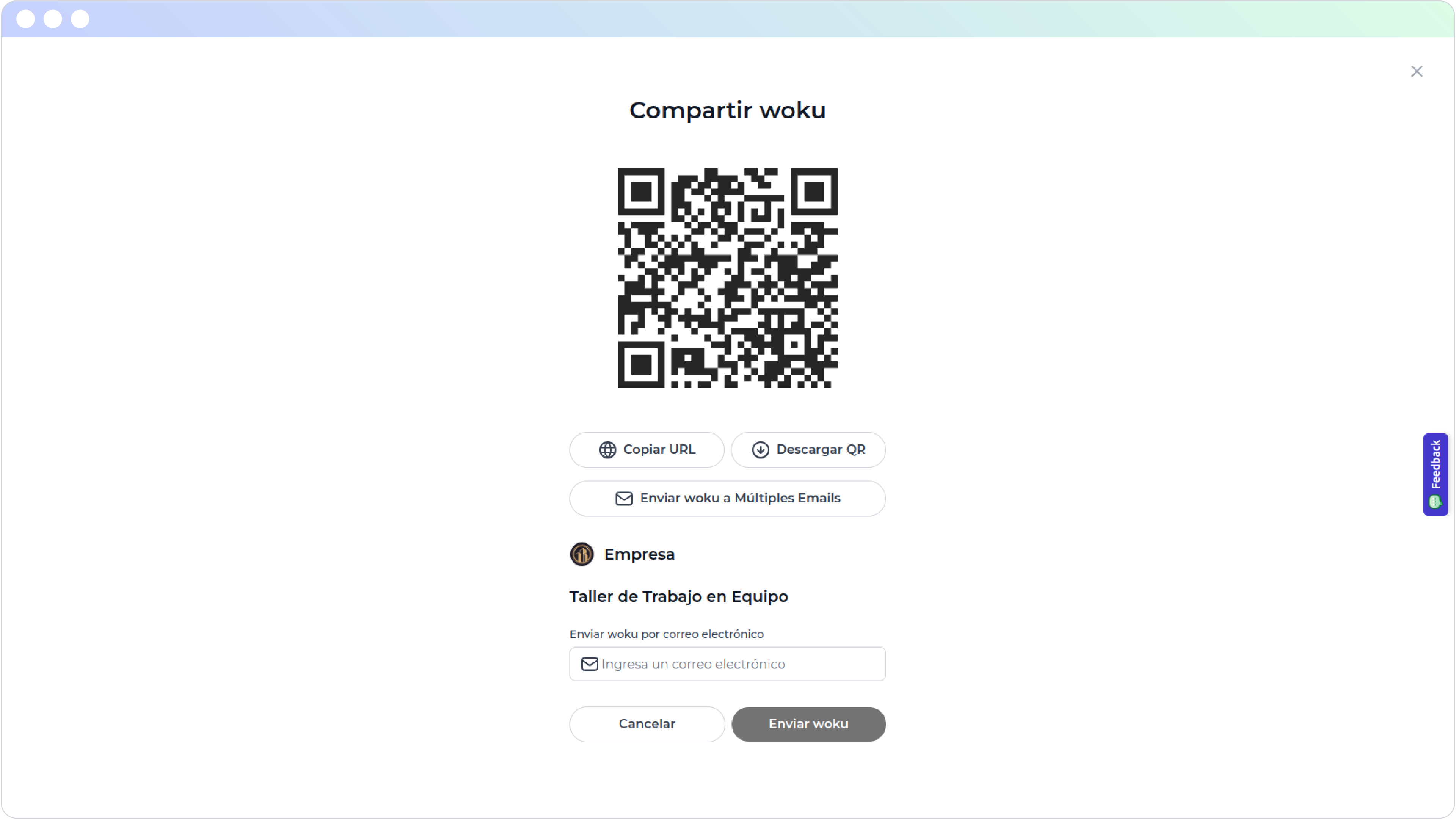
Options to share woku: Taller de Trabajo en Equipo
QR code
You can display the QR code directly from the woku app on your phone or computer. You also have the option to download it to print it or include it in visual materials. This option is especially useful in presentations, since you can show the QR at the end so that attendees can scan it easily. You can also place it on a stand at events or customer service areas, allowing people to scan it and evaluate their experience quickly and easily.Link
Sharing the woku through a link is ideal for online sessions, since you can send it directly through the video call chat. It is also very handy for sending it via WhatsApp, whether in groups or in direct messages, making it easier to reach customers in a personal way or in shared spaces.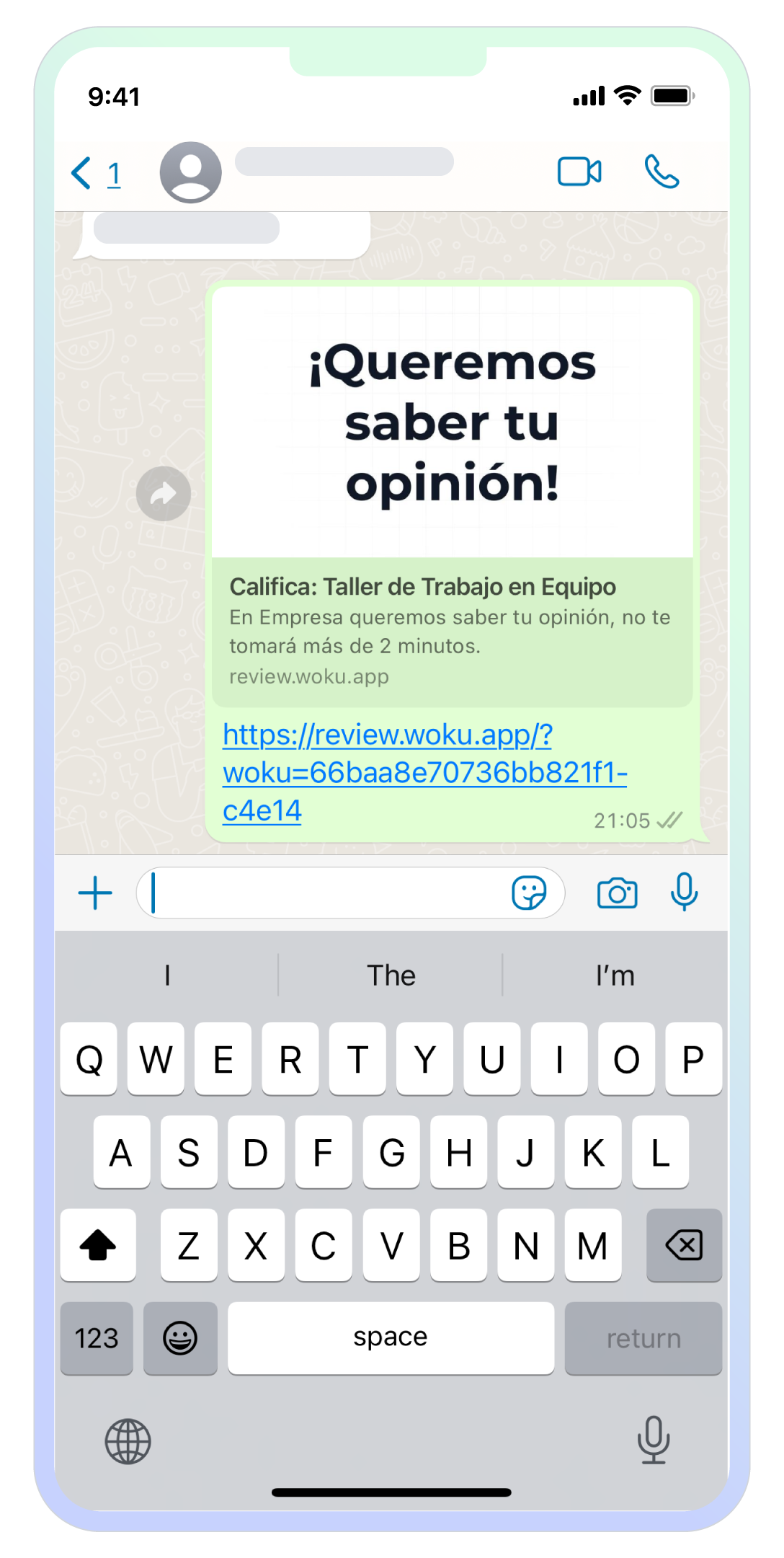
woku shared through a link in the WhatsApp mobile app
Emails
If you need to make bulk sends, you can share the woku through emails. Copy the list of emails from a spreadsheet (such as Excel or Google Sheets) and paste it directly into the send pop-up window.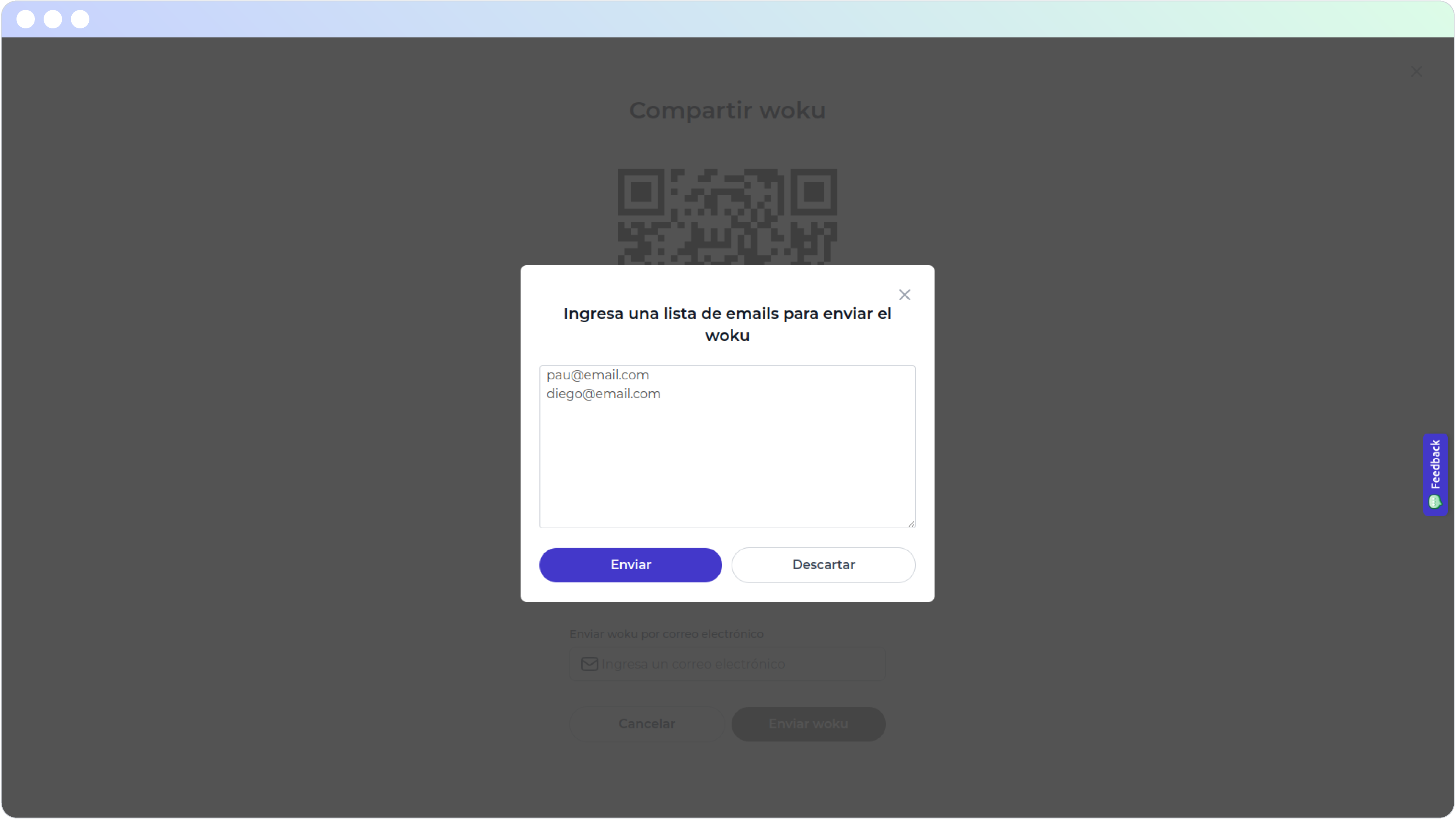
woku interface to share a woku through bulk email sends
Once you press the send button, the emails will start being sent automatically. This process may take some time depending on the number of recipients.
If you close the pop-up window, the emails will keep being sent in the background. When all the emails have been sent, you will receive an alert in the lower left part of the woku app screen.
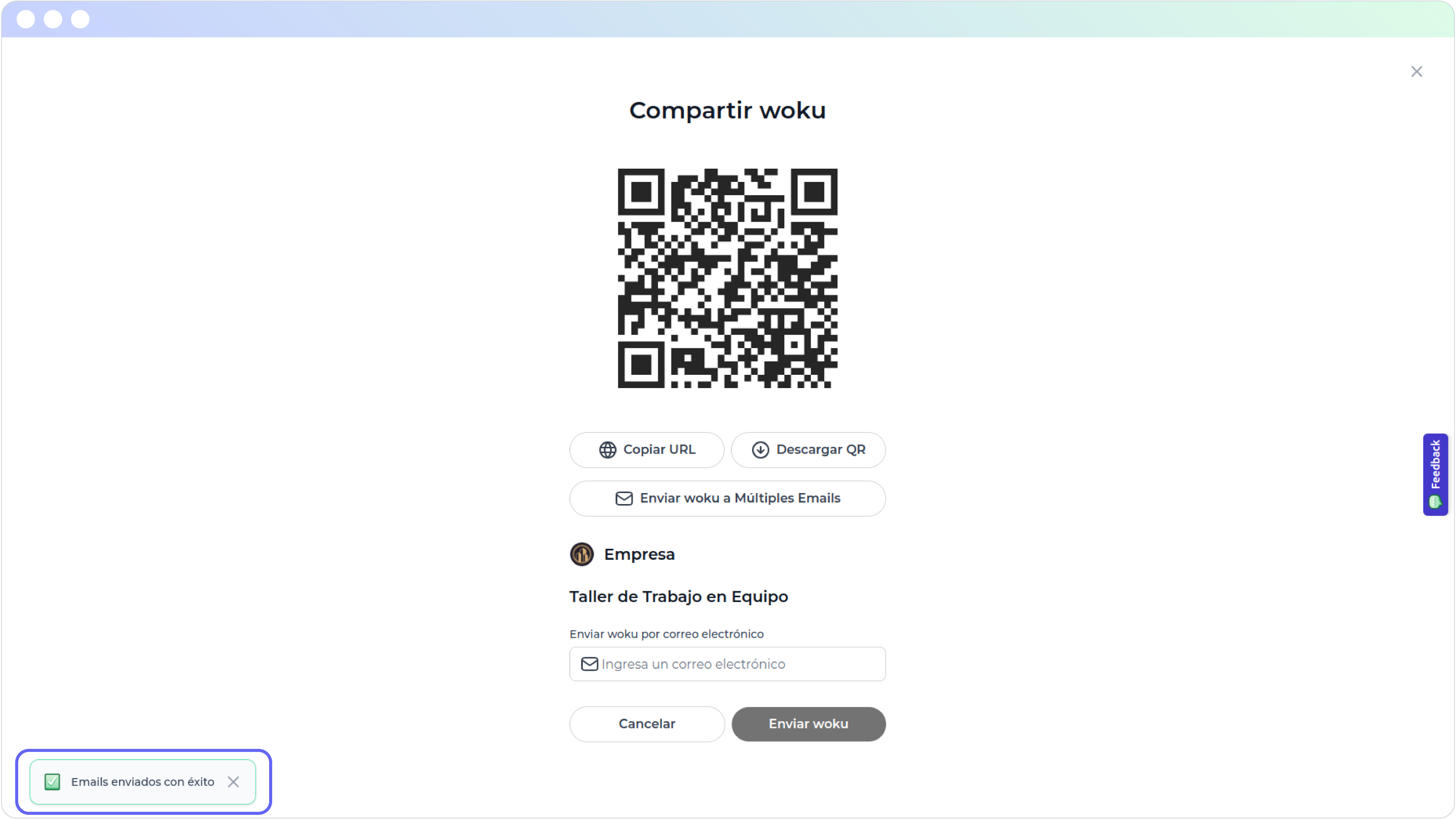
Alert that the emails were sent successfully
In addition, you will receive a confirmation email indicating that the send was successful. If there was any problem sending certain emails, you will receive an email with the list of those that could not be sent due to some error.
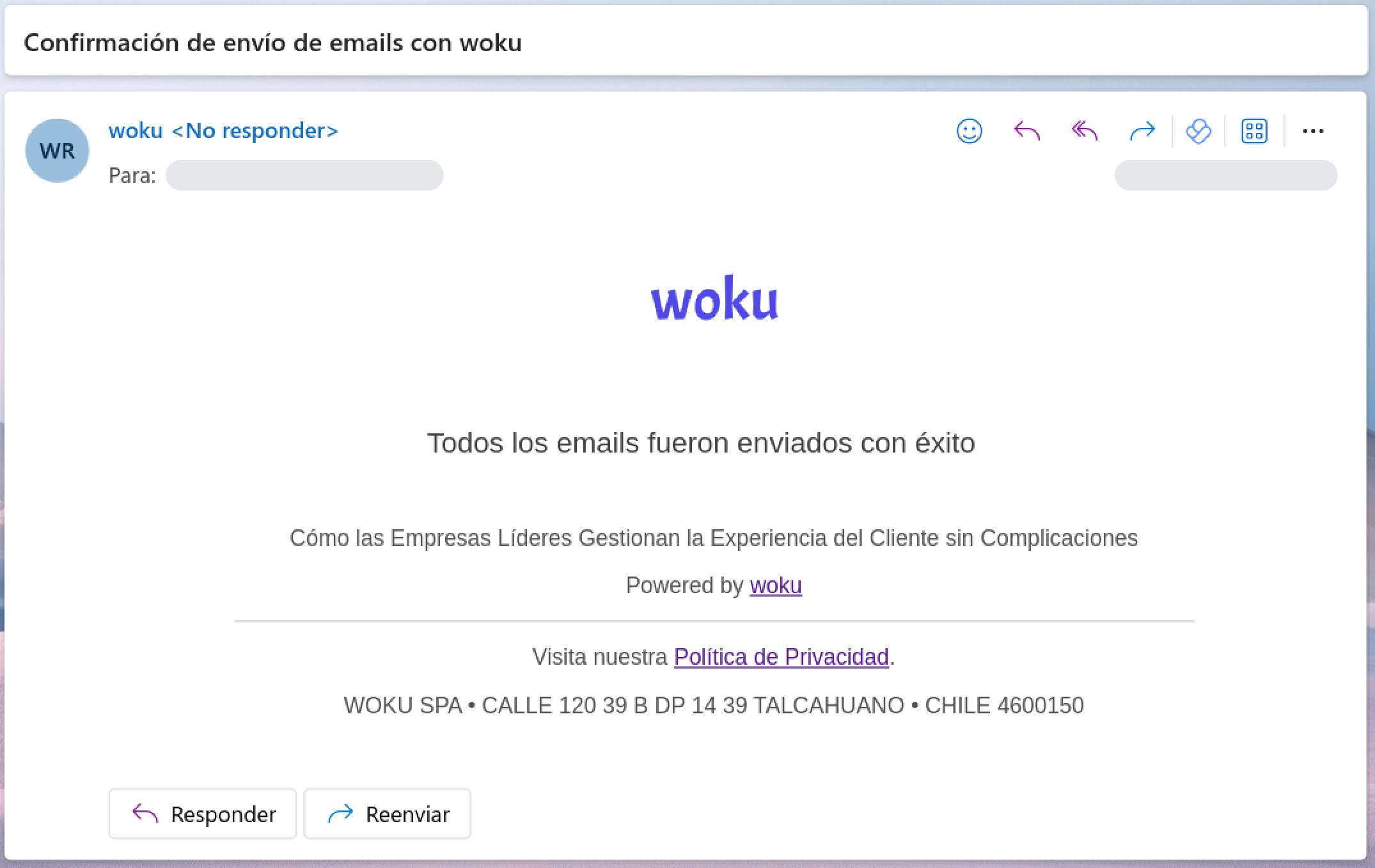
Confirmation email for a successful send
To send the woku to a single person, you just need to enter their email in the corresponding field and send it. In this case you will not receive a confirmation email.
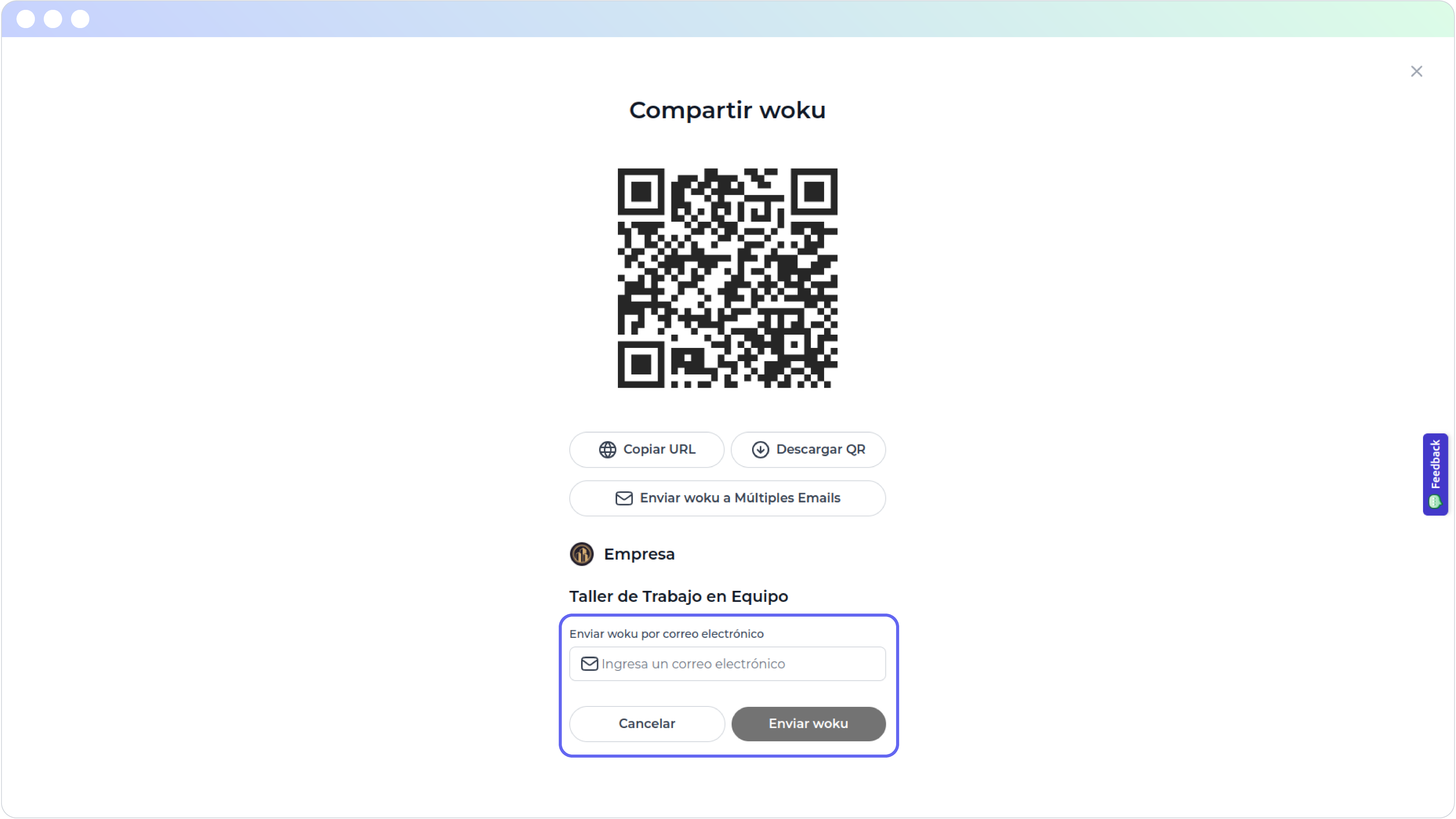
Share the woku through an email