You can now use woku in ChatGPT with its official plugin

woku is already in the ChatGPT plugin directory. Why an MCP server wasn't enough, how to install it in three steps and what you can do with the opinions of your customers right from the conversation.
woku already has an official plugin in ChatGPT. It is in the plugin directory, published by woku SpA, and is installed with a click.
At first I created an MCP server because I thought it was enough for our users to use woku with their agents and AI services. I was wrong.
Why an MCP server wasn't enough
The woku MCP server allows an AI assistant to consult your company's metrics, opinions, tickets and action plans, and to create or update listening tools when you give permission. It works with ChatGPT, with Claude and with code agents such as Claude Code or Codex.
The problem was with the connection. To add a custom MCP in ChatGPT, you had to activate developer mode, create the plugin, paste the server URL and configure some options. For a less technical person, these steps were difficult to understand or too tedious. A new feature had become an onboarding video call.
So Paula, my cofounder, started the application to publish woku in the ChatGPT plugin directory. She prepared the description of the plugin, a test account, the demo video, and the test cases reviewed by OpenAI. Along the way, we adjusted the server to the OpenAI guidelines: each tool declares whether it only queries data or if it also modifies it, and the responses no longer show internal identifiers. Paula submitted the application in mid-November and at the end of the month we received approval. We published it and here I am, writing this post. It feels good.
How to install woku in ChatGPT
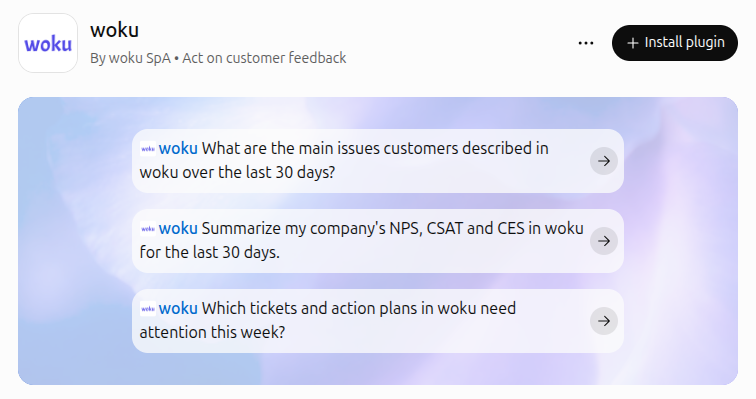
- Open the plugin. Go to the woku plugin in ChatGPT or search for it in the plugins directory. Check that the author is woku SpA and click on the button to install it.
- Authorize a company. ChatGPT opens the woku authorization in a new tab. Sign in if asked, choose the company that ChatGPT will have access to and click Authorize.
- Try it in a chat. In a new chat, type @woku, choose the plugin and send this message: “Use woku and its get_company tool to tell me only the name of the connected company. Don't change any data.” The answer should name the company you authorized.
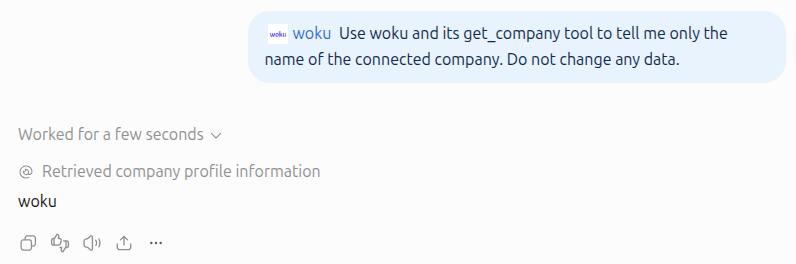
You don't need to activate developer mode or copy the server URL. If you had already connected woku as a custom plugin, uninstall that plugin and install the official one. That way you won't have two woku options when you type @woku.
In ChatGPT Business, Enterprise or Edu, the workspace administrator decides which plugins members can install. If woku doesn't appear or is disabled, ask the administrator to enable it.
What you can ask woku from ChatGPT
Once you connect woku, you can do this without leaving the conversation:
- Review the results of your listening tools: wokus, NPS, CSAT, CES and forms.
- View metrics and trends by tool, by folder, or company-wide, and the topics that are repeated in reviews, including transcribed voice notes.
- Review support tickets and evidence for each one.
- Follow the action plans, with the status and tasks of each plan.
- Find the generated reports and schedule periodic reports for your team.
- With writing permission, create or update tools, folders and trackers, and send invitations to give feedback.
A few questions to get started:
- “What were the main issues described by customers on woku in the past 30 days?”
- “Summarize my company's NPS, CSAT and CES in woku for the past 30 days.”
- “What woku tickets and action plans need attention this week?”
What ChatGPT can see and do in your account
- One company per connection. When authorizing, you choose a company and ChatGPT works only with it. To change it, uninstall the plugin and reinstall it.
- Visible permissions. The authorization screen shows what ChatGPT asks for: reading metrics, reviews, surveys and tickets, and creating or editing goals, plans, trackers and tickets.
- The same rules as in woku. Every action follows the rules of the woku admin. Actions that delete data or send invitations ask for explicit confirmation.
- Data about your customers. The assistant will be able to access the data of the chosen company, including the personal data that your customers leave in opinions, surveys and conversations.
- Disconnect at any time. You can disconnect it from your woku profile or uninstall the plugin in ChatGPT.
In this flow, woku alerts and organizes information, and the people on your team decide and act.
Claude and other agents
The MCP server is still available for Claude, Claude Code, Codex, OpenCode and any compatible client. They connect with the URL https://api.woku.app/mcp and the same woku authorization. The step-by-step guide is in the documentation.
Thank you, Paula, for leading the application. If your company already uses woku, install the plugin and tell us what you're asking woku. If you don't use woku yet, create your account and set up your first listening tool.